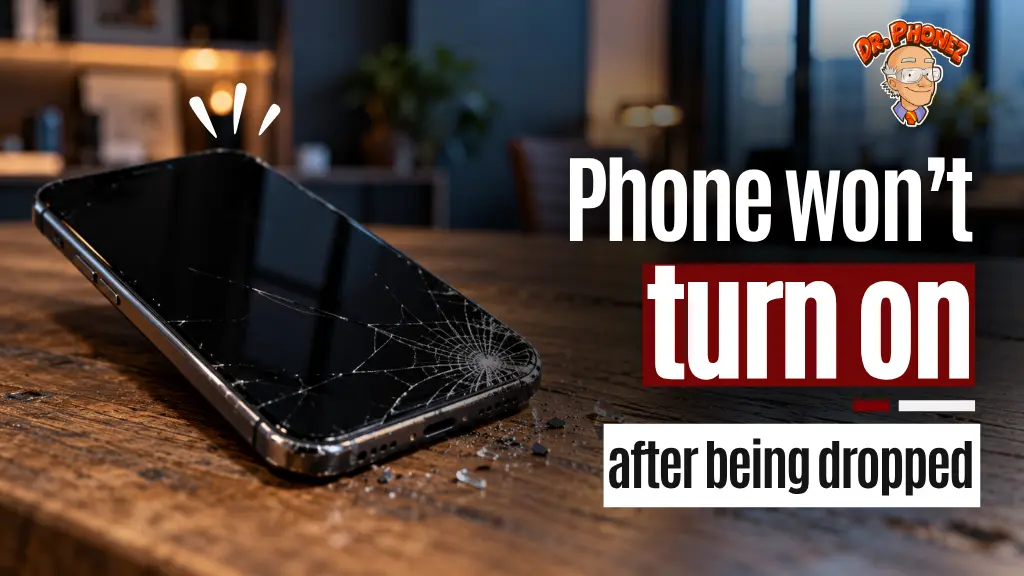
Your phone hit the floor and now nothing happens when you press the power button. The screen is dark, no vibration, and the device feels completely dead.
A dropped phone that will not turn on does not always mean the device is beyond repair. Several internal components can fail from impact without permanently destroying the phone, and knowing which one is likely damaged helps you decide what to do next.
Why a Drop Can Kill the Power
A phone case and a scratch-free screen can give the impression that the drop was minor. The outside of a phone absorbs less force than the inside. When a phone lands on a hard surface, the internal components experience a sudden, concentrated impact that the exterior may not show.
A cracked screen is not the only thing a drop can damage. Internal components connectors, cables, the battery, the board can all fail from impact without leaving a mark on the outside.
What Could Have Been Damaged Inside
The components below represent possible causes of a no-power state after a drop. Only a hands-on inspection can confirm which one applies to your device.
1. Battery Connector
The battery connects to the phone’s motherboard through a small ribbon cable and a press-fit connector. A hard impact can jolt this connector loose without damaging either the battery or the board. When this happens, the phone may have power available but no electrical path to use it.
A technician can open the phone, inspect the connector, and reseat it if it has come loose.
2. Display Cable
The screen assembly connects to the motherboard through one or more ribbon cables. If those cables disconnect on impact, the phone may be on without the display showing anything. The screen stays dark while other functions continue.
Possible signs of a disconnected display cable: a faint vibration when you plug in the charger, or haptic feedback when pressing the side buttons. These are indicators worth noting for your technician, not a confirmed diagnosis.
3. Screen or Display Assembly
A cracked digitizer, broken LCD, or shattered OLED panel can produce a completely black screen even when the phone is powered on. Corner drops and direct screen-to-floor impacts put the display assembly under the highest stress.
On some models with USB-C video output support, connecting to an external monitor may show whether the phone is actually running — but not every phone supports this, and the results vary by model and cable.
4. Motherboard
The motherboard is the phone’s main circuit board. A significant impact can cause solder joints to crack, components to shift, or circuit traces to break. In severe cases, the phone may show no signs of life at all.
Motherboard damage is not always visible externally. Micro-soldering repair is possible for certain types of board-level damage, depending on which components are affected.
5. Battery
Lithium-ion batteries can sustain internal damage from physical trauma. A drop that bends or compresses the battery may prevent it from holding or delivering a charge.
Safety warning: Do not attempt to charge or troubleshoot a phone if the battery appears swollen, the back panel is bulging, the device feels unusually hot, or the body looks deformed after the drop. Take it to a repair technician for safe assessment instead.
6. Charging Port or Power Circuit Damage
Some drops impact the bottom or side of the phone directly. A damaged charging port can prevent the phone from receiving enough charge to power on. In other cases, the power IC (a chip responsible for managing power delivery across the phone) can be disrupted by impact, causing a no-power state even when the battery is full.
Steps to Take Before Going to a Repair Shop
Force Restart First
Before assuming internal damage, attempt a force restart. The method varies by device:
- iPhone 8, iPhone SE (2nd gen), and later with Face ID: Press and quickly release Volume Up, press and quickly release Volume Down, then press and hold the Side button until the Apple logo appears.
- iPhone 7 / iPhone 7 Plus: Press and hold Volume Down and the Sleep/Wake button together until the Apple logo appears.
- iPhone 6s, iPhone 6s Plus, iPhone SE (1st gen): Press and hold the Sleep/Wake button and the Home button together until the Apple logo appears.
- Samsung Galaxy: Press and hold the Power button and Volume Down together for more than 7 seconds until the device restarts.
- Google Pixel: Press and hold the Power button for about 60 seconds until the phone restarts.
A force restart clears the software state without erasing data. If the phone responds to this, the issue may have been a software crash triggered by the impact rather than hardware damage. For Galaxy devices that were already having power problems before the drop, the causes are different the Samsung Galaxy won’t turn on page covers those scenarios separately.
Charge It for 15 Minutes
If the battery was critically low before the drop, the phone may not respond at all. Connect it to a known working charger and wait 15 minutes before pressing power. Look for any charging indicator on screen.
Watch for Partial Signs of Life
Before concluding the phone is completely unresponsive, check for:
- A faint vibration when plugging in the charger
- Any heat from the back of the phone during charging
- The screen briefly flickering before going dark
- LED notification light activity (on Android devices that have one)
Any of these signals suggests the phone has some power. A technician can use that information to narrow down whether the issue sits with the display, the cables, or something deeper in the board.
Avoid Further Risk
Do not continue pressing the power button repeatedly. Do not open the phone yourself unless you have technical experience with that specific model. Do not charge overnight if the battery may be physically damaged.
Any sign of liquid exposure alongside the drop adds another layer of damage that needs professional assessment before anything else is attempted. Read more on what actually happens inside a water damaged phone and whether it can be saved.
When to Take It to a Technician
Take the phone to a repair shop if:
- The force restart produces no response at all
- Charging for 15 to 30 minutes shows no sign of activity
- The back panel feels warm or shows any bulging
- The phone was wet when dropped or landed in liquid
- Visible frame damage or significant cracking is present
A technician can open the phone safely, check the battery connector and display cables, test the board for continuity, and diagnose whether the issue is mechanical or electrical. Post-drop no-power situations can sometimes be resolved at the component or connector level without requiring a full board replacement, depending on what was damaged.
What a Diagnostic Appointment Covers
A diagnostic session at a local repair shop typically includes:
- Physical inspection of the frame, screen, and port
- Internal inspection of connectors and cables
- Battery voltage and health check
- Power-on test to identify which stage of startup is failing
Most shops provide a diagnostic assessment before committing to any repair. Understanding what is wrong before approving a repair gives you accurate cost information and avoids unnecessary parts replacement.
FAQ
Q: My phone screen is cracked and won’t turn on after I dropped it. Is the phone dead? A: Not necessarily. A cracked screen can cause a black display while the rest of the phone continues to operate normally underneath. A technician can test whether the device is powering on by checking internal signals, and a screen replacement may restore full function.
Q: I dropped my phone and got no response at all, even when plugged in. What does that mean? A: A complete lack of response, no heat, no vibration, no charging indicator —can point to several possible causes, including a disconnected battery connector, power circuit damage, or motherboard damage. A technician can open the device and inspect each component to identify where the failure is.
Q: Can a phone survive a hard drop and still be repairable? A: Yes, depending on what was damaged. A disconnected connector or display cable can often be repaired without replacing major components. The outcome depends on which component was affected and how severe the impact was only a hands-on inspection can determine that.
Q: Should I try to open my phone myself after dropping it? A: Only if you have specific experience with that phone model and the right tools. Opening a phone incorrectly can strip screws, tear ribbon cables, or damage waterproofing seals, making the repair more difficult and more expensive.
Q: My Samsung Galaxy won’t turn on after I dropped it. Is it different from an iPhone in how it fails? A: The internal components that fail are largely the same, but Samsung Galaxy devices (especially the S and A series) have different connector placements and battery configurations. The diagnostic process is similar, but repair steps differ by model.
Q: How long does a diagnostic take at a repair shop? A: Diagnostic time varies by shop and by how complex the issue is. Contact the repair shop before visiting to get an estimate based on your specific situation.
Your Phone May Still Be Fixable
A phone that will not turn on after a drop is not automatically a write-off. A force restart and a short charge attempt are worth trying first. If neither produces any response, a hands-on inspection from a technician is the most reliable next step.
If you are in San Antonio and your phone will not turn on after a drop, Dr. Phonez offers walk-in diagnostic assessments at multiple locations across the city. Technicians inspect the internal components, identify what was affected, and give you a clear answer on repair options for iPhone repairs, Samsung repairs, and other devices. Visit the Stone Oak, San Pedro Ave, location nearest to you.